Adding Items to a Catalog Record in Sirsi
Adding Items to a Catalog Record in Sirsi
This guide should work with any items being added to an existing catalog record.
For equipment being added that have a very large number of items apply the library barcodes in sequential order, disregarding the last number of the code. The order starts at the top left hand corner and goes down the barcode sheets.
Click on Call numbers and Item maintenance.
Type in the title of the item you want to add items to.
At the bottom of the screen click on Add Item.
(Do not click on the Add call number button when adding an item.) If you do click the Add Call Number button by mistake you can just click the delete button to delete the call number.
Add Call Number is used for books that have multiple volumes.
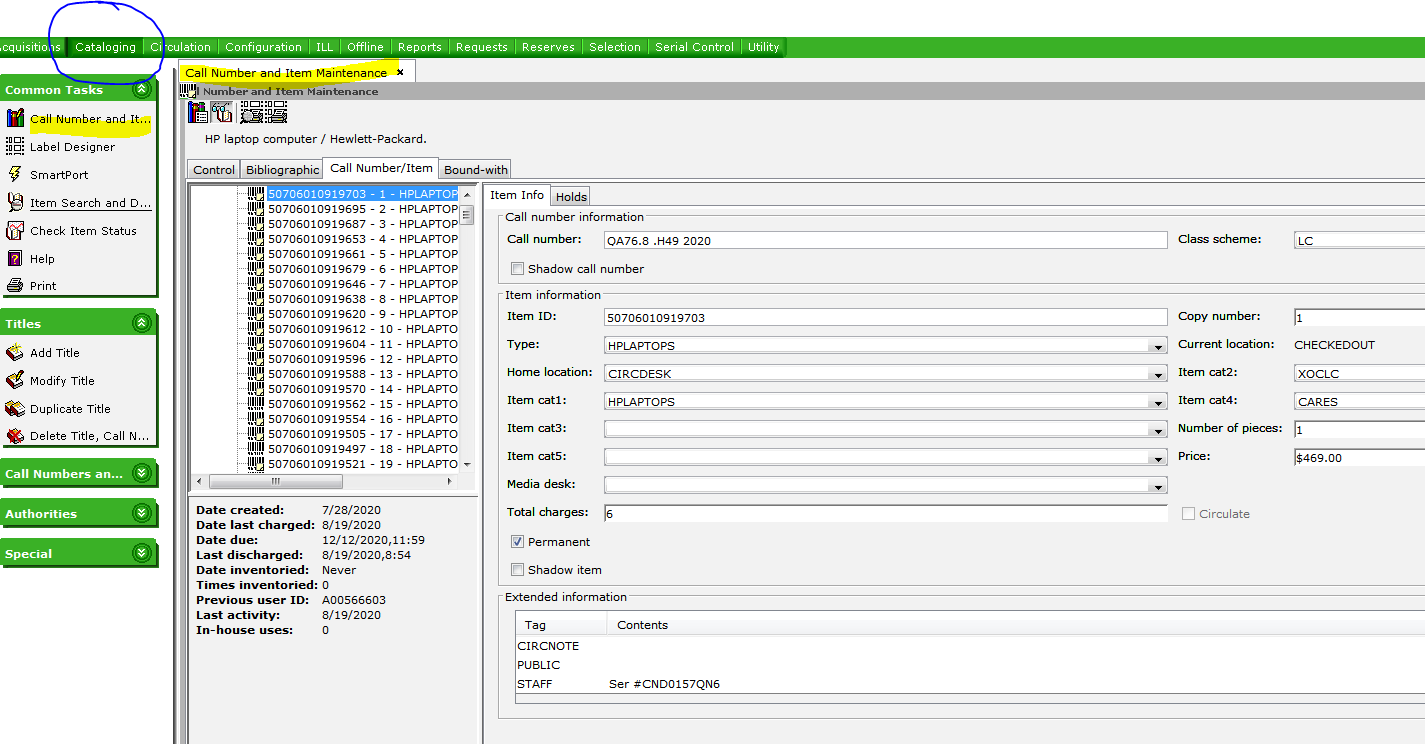
For equipment make sure you record the serial number under Extended information in the Staff area.
Scan the item ID number barcode on the item that is being added.
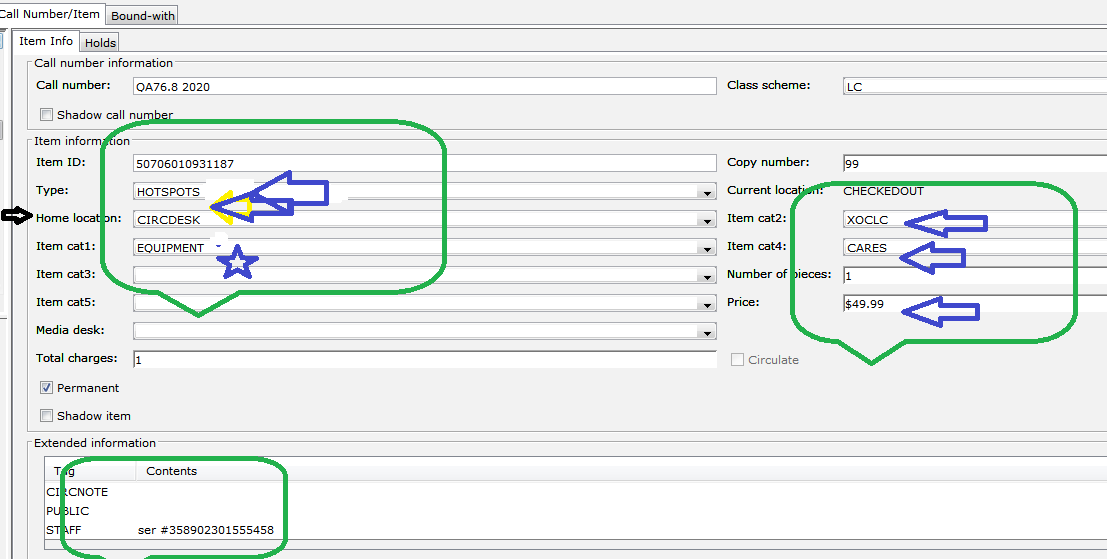
Item type: HPLAPTOP
Home location: CIRDESK
Item cat 1: EQUIPMENT
Item cat 2: XOCLC (things not in OCLC)
Item cat 4: NSCCF (301-800 HP laptops) CRF Governor's Grant (the first 300) or CARES (the rest of the HP laptops) (1310 total HP Laptops bought Fall 2020)
Price: $469.00 (for HP laptops)
NOTE: Make sure that the copy number is going up consecutively.
Click SAVE at the bottom when done.