Module 1 - Lifelong Learning
Module 1 - Lifelong Learning
For my Lifelong Learning project I decided to use two technologies I have wanted to try. To play with the various apps, I created Layla, a store owner, and the backstory is that she wants a business card to hand out to new or loyal customers with a secret discount code that is only revealed after scanning an image on the card.
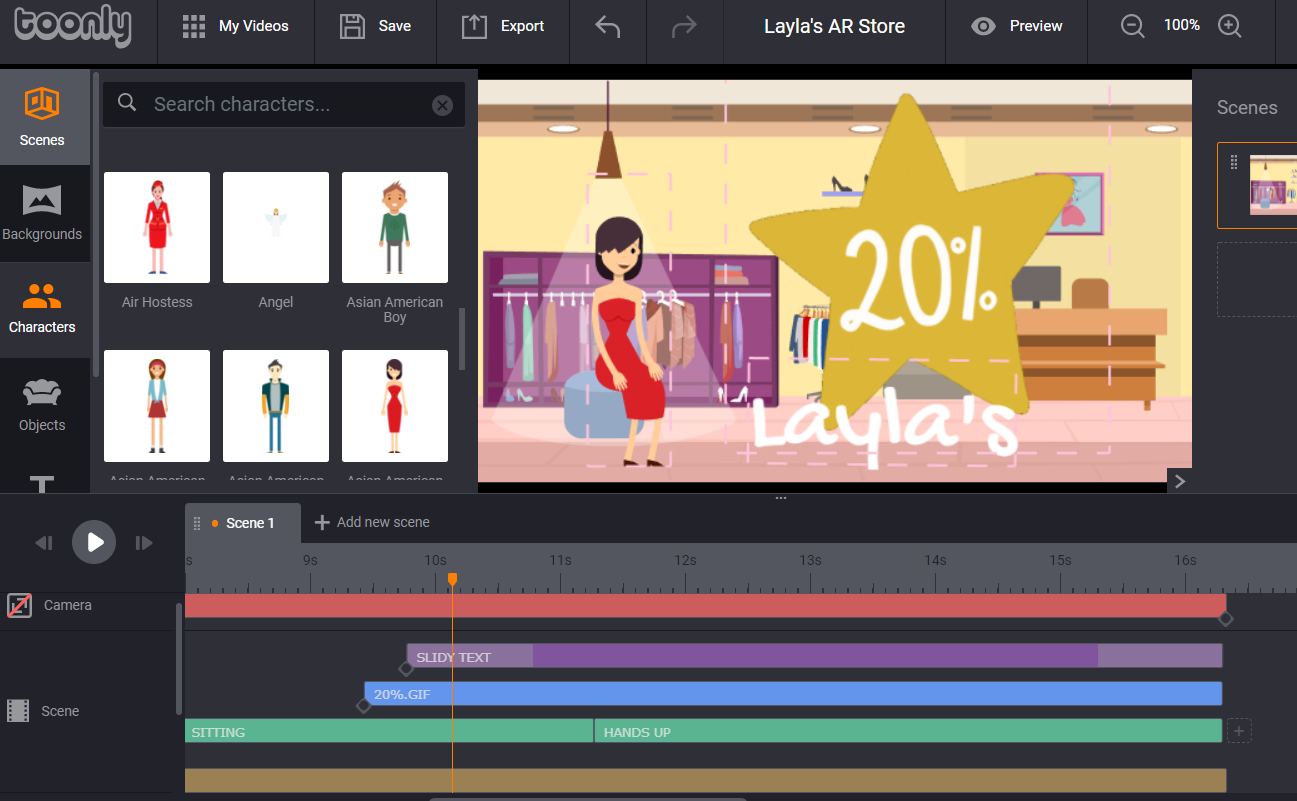
The first application is Toonly, which is a tool to make easy animated explainer videos. I did end up paying the one time cost to use the application, but I felt I could use this for work and other personal projects. It ends up it is very easy to use. Below is a screenshot from the project in Toonly before exporting it as an mp4.
The scene has a track for your character(s), a background scene, object(s) as well as tracks for music, and a voiceover. This scene shows my character, Layla, the boutique owner first waving hello, crossing the scene, having a seat, and then ends up cheering as a 20% off coupon pops up. There is nothing special about this particular part of the project, it was me playing and learning how to navigate layers and actions on Toonly.
I exported the mp4 and uploaded it to YouTube to create an easy YouTube reference link to my Layla Video.
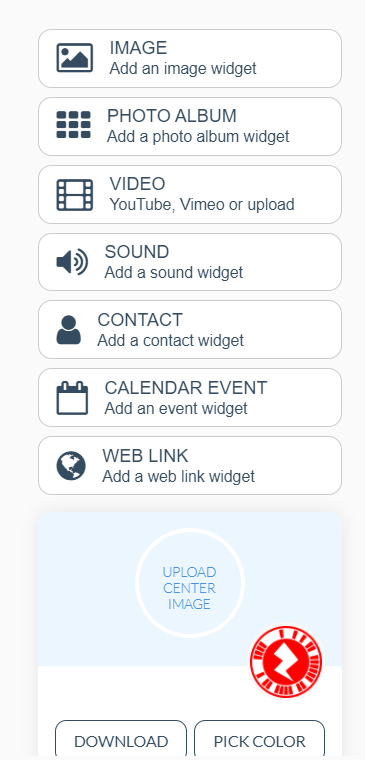
Next I needed a way to trigger the video with the secret discount code. This is where I brought in Zappar, a platform to create augmented, virtual and mixed reality solution to "package together" various tech, social media, and marketing content. Zappar is an application that be downloaded either in the Apple Store or Google Play store, and has a corresponding website where you can link together your content in a handful of different ways depending on your programing tech experience. I am NOT a programmer whatsoever, so I chose to use the free Hobby ZapWorks account and also used the easiest WYSIWYG interface. In the free Hobby version you can create up to four projects. After just a few click and linking my YouTube video I created a ZapCode that now becomes my trigger for the video. The circular red tag below is my trigger.
Ok, so I have now played with Toonly, created my short coupon video, created my ZapCode to trigger the video, so that last part is where I am placing that ZapCode. This could be used in so many marketing ways, but to keep it simple, I used Adobe Photoshop to create a mock-up of a business card.
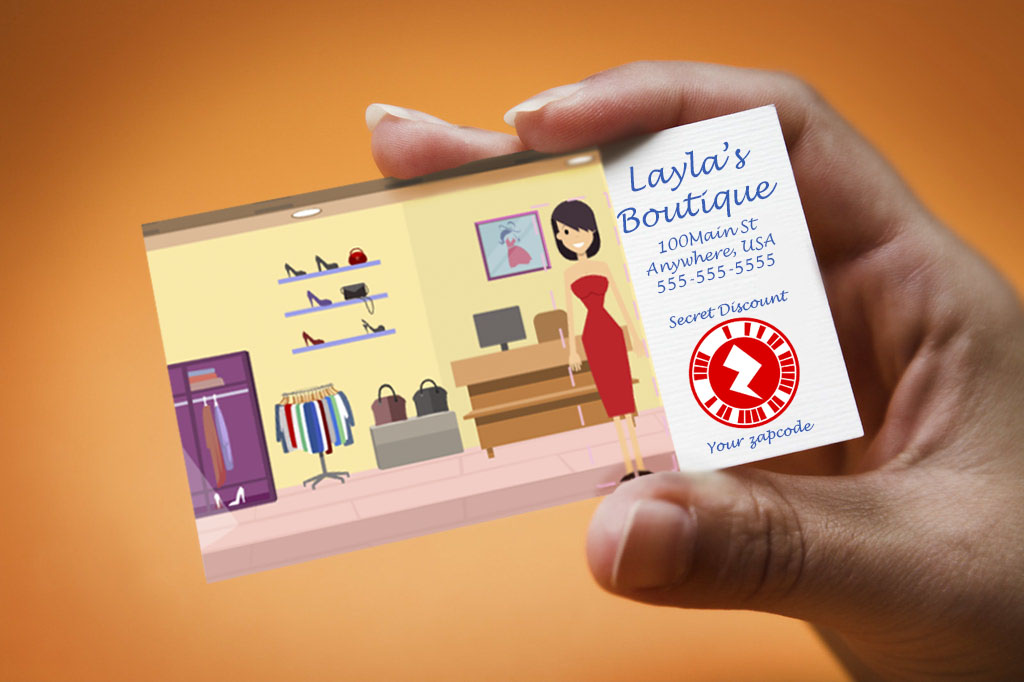
In the end, what was created? A business card that can be handed out at an event, to a VIP, for a marketing campaign, or whatever that leads you the mystery discount code. The flow is not perfect. The one gotcha is that you would need to download the Zappar app for this to work. The benefit of the app vs other AR tools is that the code is tied to your content exclusively, much like a QR code. Maybe I will try another product for one of the other modules if it fits the requirements.
Here is the end result. Excuse the sloppy phone taking a video of a phone video! ha!
All in all, I learned about some great tools keep in my back pocket for lots of uses.
Resources: Toonly, YouTube, Zappar, Adobe Photoshop