Passwords
Passwords
- A user name and a password.
- Easy enough right?
- Maybe not! - How many times have you created a user name or password and then forgot it?
- Should be easy to remember.
- Try to use the same user name for different accounts. It is the password that should be kept a SECRET!
Should be easy to remember but difficult for another person to guess.
A video from All Things Secured:
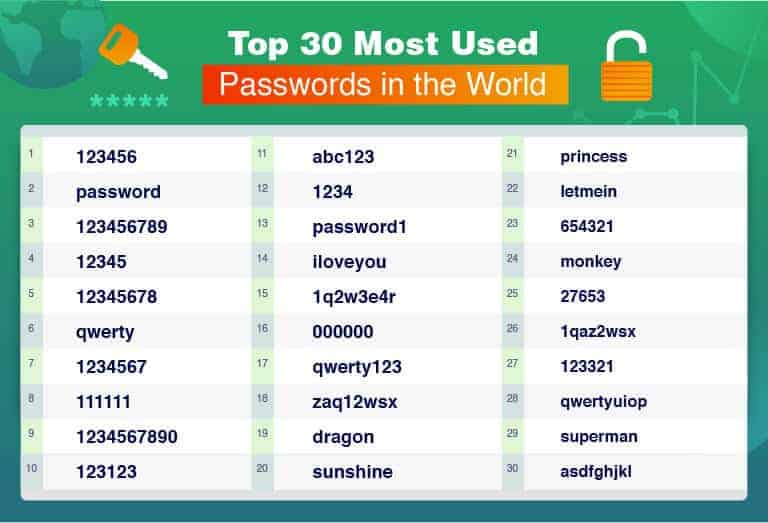
Write down your user name and then create a new password using the following rules:
- Must be at least 8 characters and no longer than 12 characters
- Must contain at least 1 uppercase letter, 1 number and 1 special character
- You must be able to remember the password
Once you have finshed, go to https://www.passwordmonster.com/ to check the strength of your password.
If you do not sign out or log off of a website, including your email account, it leaves it open for hackers. If you are on a public or shared computer, they would immediately be able to get into your account if they open that website.