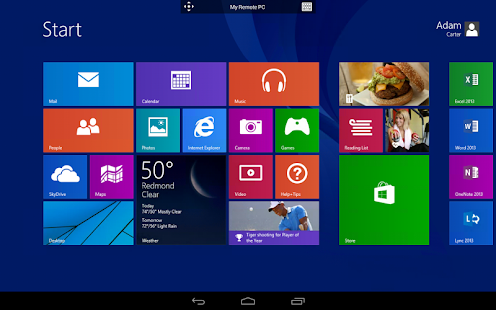
"Jump Desktop is a remote desktop application that lets you control your computer from your iPad, iPhone or iPod Touch. Compatible with both RDP and VNC, Jump Desktop is secure, reliable and very easy to set up. Features include a streamlined user interface that gives you the best possible remote desktop experience on any of your mobile devices. Easy setup and reliable: Jump Desktop is very easy to configure; anyone can do it! Just visit: http://www.jumpdesktop.com on your PC or Mac, click the ‘Setup’ link and follow step-by-step instructions. You’ll be up and running in no time. Secure and built on open standards: Jump Desktop is a true RDP and VNC client. You don’t need to download additional software to connect to your machine if you already have RDP or VNC configured. Just enter your IP address or hostname to connect. Powerful features: Unleash the full power of your iOS device when connecting to your computer. With support for multi-tasking, Bluetooth keyboards, VGA-out, copy/paste, auto-correction, AirPrint and audio streaming, Jump will help utilize your iOS device to the max. iPad 2 users: Jump's multi-threaded rendering engine will automatically utilize the extra core on your iPad 2 to accelerate your remote desktop experience. IMPORTANT NOTICE: Audio streaming and remote printing are NOT supported when connecting to Mac OS X and PCs running Windows ‘Home’ edition."
This app costs $14.99