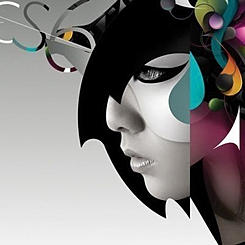
'Key Features & Benefits: • easy-to-use, yet powerful vector drawing tools • simple enough for doodlers, with advanced features for skilled artists • flipbook-style animating – great for beginning animators • keyframe animating – graduate to powerful animation techniques • drag your finger to create motions paths – easy to make sophisticated animations • make H.264 movies & PNG images – view on your iPad or save to the Camera Roll • extensive collection of reusable art "props" (static and animated) • extensive documentation embedded in the app Drawing Editor: • create frame-by-frame animations or single-frame vector artwork • powerful vector-based drawing tools, with automatic curve smoothing • paint brush, pen, pencil, and fill tools for freehand drawing • geometric shape tools (rectangles, ellipses, polygons, stars, flower shapes) • transform/scale/rotate/arrange tools • advanced bezier shape editing • custom color palette • gradients colors • drawing layers • grouped shapes • two-finger pan and zoom for precise drawing • frame "ghosting" • snap-to-grid, snap-to-paths, snap-to-points Composition Editor: • drag & drop your drawings to place on canvas • easy-to-use key-framing for timing, position, rotation and scale • intuitive timeline (similar to iMovie or GarageBand) • nest compositions within compositions for complex animation effects • opacity • adjustable frame rates, up to 30 fps Export Options: • animations rendered in H.264 on your iPad • drawings rendered to PNG format • save to the Camera Roll for easy sharing to YouTube, e-mail, etc. • Support for HD (16 x 9), standard definition (4 x 3), and square (1 x 1) aspect ratios Created by the team behind www.doink.com, an animation site of 400,000 users worldwide who created 2 million pieces of art, the Green Screen by DoInk app, featured in iTunes as a "Best New App in Education" and Doink Express app for creating animated clips using photos, drawings, art "props", animations and sound.'
This app costs $4.99