Material Detail
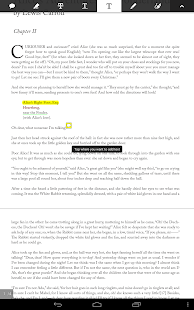
Adobe Reader Touch App for Windows
'Adobe® Reader® is the free, trusted leader for reliably viewing and interacting with PDF documents across platforms and devices. Adobe Reader Touch has been specially designed for the new Windows 8 Touch user interface to give you a great experience working with PDF documents on your Windows 8 Tablet. Adobe Reader Touch works with a keyboard and mouse, but desktop users with keyboard and mouse may prefer to install and use Adobe Reader XI....
Show More
Quality
- User Rating
- Comments
- Learning Exercises
- Bookmark Collections
- Course ePortfolios
- Accessibility Info
More about this material
- Material Type:
- Development Tool
- Date Added to MERLOT:
- December 10, 2013
- Date Modified in MERLOT:
- January 21, 2014
- Author:
- Adobe Systems Incorp
- Submitter:
-
Cathy Swift